Sifely Keyless-Entry Fingerprint Smart Door Lock Review
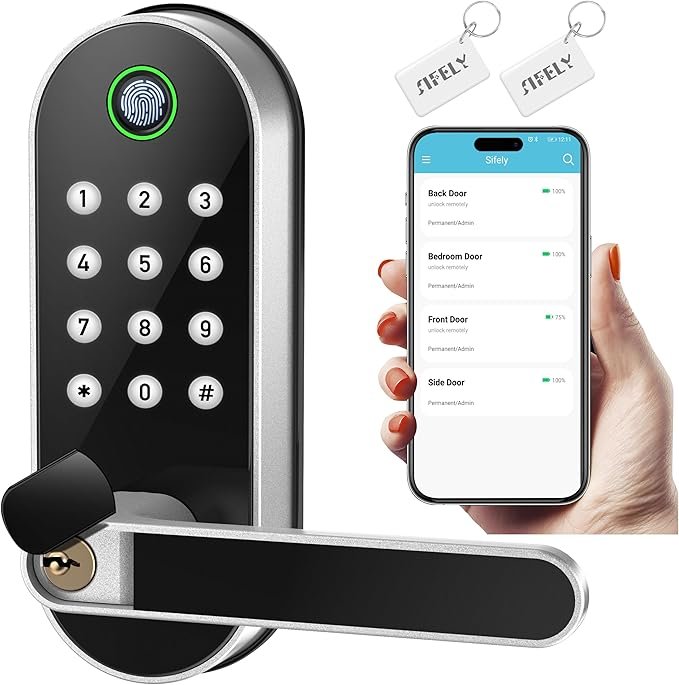
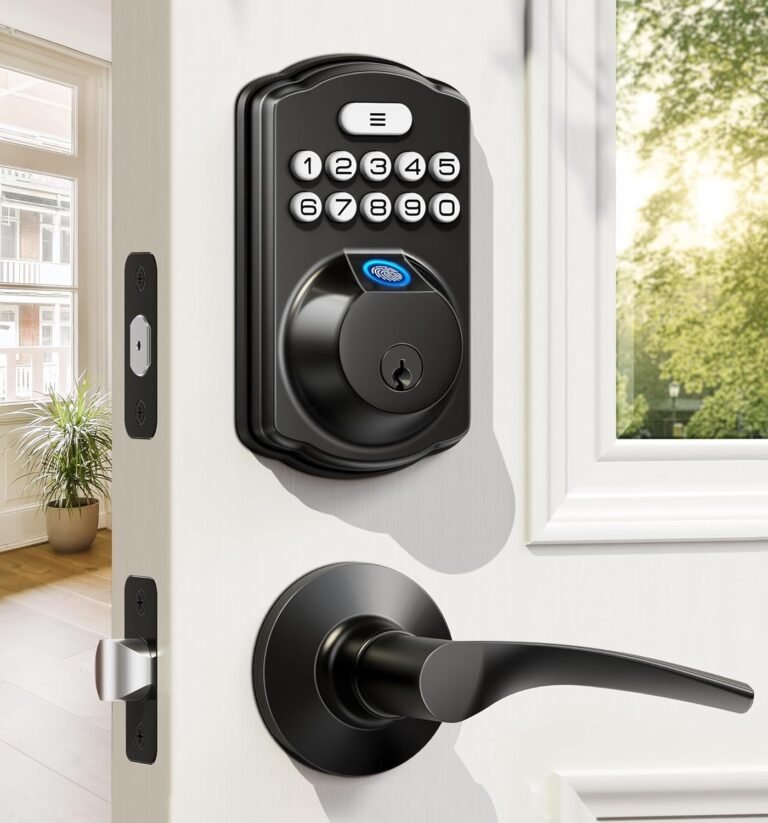
The Sifely Keyless-Entry Fingerprint Smart Door Lock combines biometric authentication, multiple access methods, and smart connectivity for convenient access control. Designed for homeowners, rental property managers, and businesses, this smart lock provides various unlocking options, an auto-locking function, and app-based management.
📌 Sifely Keyless-Entry Smart Lock – Features and Specifications
🔹 Lock Type: Deadbolt with integrated biometric handle
🔹 Access Methods: Fingerprint, passcode, key fob, access card, smartphone app, and physical key
🔹 Connectivity: Bluetooth (Wi-Fi requires Sifely Gateway, sold separately)
🔹 Auto-Lock Function: Adjustable auto-locking timer
🔹 Battery Life: Up to 1 year (depends on usage, requires 4 AA batteries, not included)
🔹 Material: Zinc alloy with a satin nickel finish
🔹 Weather Resistance: IP65-rated (operates in 14°F to 158°F / -10°C to 67°C)
🔹 Installation: DIY-friendly, fits standard left- and right-handed doors
🔹 Smart Home Integration: Alexa & Google Assistant (requires Sifely Gateway)
Additional Features:
✔ 3D Fingerprint Sensor – Manufacturer claims unlocking in under 0.3 seconds
✔ Multiple Passcode Options – Set permanent, one-time, timed, or recurring codes
✔ Passage Mode – Allows the door to stay unlocked when needed
✔ Hidden Keyhole & Backlit Keypad – Helps with security and night-time visibility
✔ Remote Control (Wi-Fi Gateway Required) – Lock/unlock and manage access codes remotely
✔ Emergency Power Option – USB power backup available
🔑 Key Features
🔹 Biometric Fingerprint Sensor
The third-generation 3D fingerprint technology provides a fast unlocking experience, with the manufacturer claiming it can unlock the door in under 0.3 seconds. Some users report consistent success on the first attempt, while others note that cold or wet hands may require multiple tries.
🔹 Multiple Access Methods
This 6-in-1 smart lock offers multiple unlocking options:
✔ Fingerprint Scanner – Biometric authentication
✔ Passcode Entry – Supports different types of PIN codes
✔ Key Fob / Card Access – Tap-to-unlock functionality
✔ Smartphone App – Bluetooth-based control via the Sifely App
✔ Physical Key Backup – Hidden keyhole for manual entry
🔹 Auto-Locking & Passage Mode
The auto-lock function helps prevent leaving the door unlocked accidentally. The Passage Mode keeps the door unlocked when frequent access is needed, such as during renovations or high-traffic hours.
🔹 Remote Management via Sifely App & Web Portal
For remote control and monitoring, users need the Sifely Gateway (sold separately). With it, users can:
✔ Lock/unlock the door from anywhere
✔ Create or delete access codes remotely
✔ Monitor real-time access logs
✔ Enable Alexa & Google Assistant integration
🔹 Durable, Weather-Resistant Build
Made from zinc alloy and IP65-rated, this lock is water-resistant and suitable for outdoor use in various weather conditions.
Sifely Keyless-Entry Fingerprint Smart Door Lock
Customer Review Summary
One of the best ways to evaluate a smart lock is by looking at real customer feedback. Here’s a summary of the top reviews for the Sifely Keyless-Entry Fingerprint Smart Door Lock, including what people love and the drawbacks to be aware of.
✅ What Users Appreciate About the Sifely Smart Lock
✔ Straightforward Installation – Many users report installing it within 20 minutes using just a Phillips screwdriver
✔ Multiple Unlocking Methods – Allows flexibility for different users and situations
✔ Passage Mode – Useful for keeping the door unlocked when needed
✔ Affordable Smart Lock Option – Some users consider it a cost-effective alternative to high-end brands
✔ Customer Support – Many users have positive experiences with Sifely’s customer service
❌ What Could Be Improved
⚠ Touchscreen Responsiveness – Some users report needing multiple taps to wake up the keypad
⚠ Fingerprint Sensitivity – Some users find the sensor less responsive in cold or humid conditions
⚠ Battery Life Varies – While some users get a full year, others report needing to replace batteries every 6–9 months
⚠ Wi-Fi Gateway Required for Remote Access – Without purchasing the Sifely Gateway, remote features and smart home integration are unavailable
🔑 Final Verdict – Who Might Consider This Lock?
The Sifely Keyless-Entry Fingerprint Smart Lock offers various access methods and app-based management, which may be suitable for those looking for a keyless entry solution with multiple authentication options. For users needing remote access, it’s important to note that Wi-Fi functionality requires the separate Sifely Gateway.
Many users find fingerprint recognition and auto-lock features convenient, while some report occasional touchscreen responsiveness issues and variable battery life depending on usage.
💡 Potential Users Who May Benefit:
✔ Homeowners who prefer keyless entry with multiple unlocking options
✔ Rental Property Managers & Airbnb Hosts who need flexible passcode management
✔ Families looking for alternative access methods beyond traditional keys
✔ Businesses that require temporary or recurring access for employees
This lock provides a mix of convenience, smart features, and security, making it a consideration for those seeking a versatile smart lock with multiple entry options. 🚪🔐